

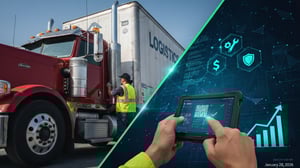
For fleet managers and logistics providers, the trailer is often the "forgotten" asset—at least until it’s sidelined by an out-of-service (OOS) violation or a damage claim that can’t be recovered. If your fleet still relies on carbon-copy paper forms, clipboards, and manual data entry, you aren't just dealing with a bit of "old school" friction; you are actively losing money.
The transition from manual to digital trailer inspections is no longer a luxury for the tech-savvy; it is a financial necessity. In this comprehensive guide, we explore the true cost of manual processes, the roadmap to a digital workflow, and how to stop the "leakage" that drains your annual profits.
The Hidden Drain: The Financial Impact of Manual Inspections
Most fleet owners underestimate the cost of a paper-based system because the expenses are fragmented. When you look at the aggregate, the numbers are staggering.
1. Administrative Overhead and Labor Leakage
A manual inspection requires a driver to fill out a form, a yard manager to collect it, and an office clerk to manually type that data into a Management Information System (MIS).
- The Math: If a clerk spends just 5 minutes per inspection report and your fleet performs 100 inspections a week, that’s over 400 hours of labor per year spent simply moving data from paper to a screen.
- The Risk: Manual entry has a high error rate. Transposed VINs or missed checkboxes mean your data is often unreliable before it’s even filed.
2. Undetected Damage and Subrogation Failure
This is where the biggest financial "leak" occurs. Without timestamped, high-resolution photos linked to a specific inspection, it is nearly impossible to prove when a trailer was damaged.
- The Cost: If a trailer returns from a lease or a third-party carrier with a gouge in the side panel, and your manual "walk-around" missed it or lacked photo evidence, your company pays for the repair.
- Annual Impact: For an average fleet of 500 trailers, unrecovered damage claims can easily exceed $150,000 annually.
3. Compliance and CSA Scores
Paper logs are notoriously difficult to audit. Missing signatures or illegible handwriting during a DOT audit can lead to fines and increased CSA (Compliance, Safety, Accountability) scores. High CSA scores lead to:
- Increased insurance premiums (often by 10% or more).
- Frequent roadside inspections, causing delivery delays.
- Loss of premium contracts from shippers who demand high safety ratings.
Anatomy of a Modern Trailer Inspection: The Digital Steps
Digitization isn't just about putting a PDF on a tablet; it’s about a structured, guided workflow that ensures no corner is left unchecked. Here are the critical steps of a digitized process:
Step 1: Secure Asset Identification
The inspector scans a QR code or RFID tag on the trailer. This immediately pulls up the specific trailer's history, previous damage reports, and maintenance schedule. This eliminates "fat-finger" errors where the wrong trailer ID is recorded.
Step 2: Interactive Visual Walk-around
Unlike a paper checklist where "Everything is OK" can be checked in two seconds, a digital app guides the user through a 360-degree perimeter.
- Front/Markers: Checking the nose, gladhands, and electrical connections.
- Side Panels & Graphics: Looking for scuffs, punctures, or loose rivets.
- Tires & Understated: Measuring tread depth and checking for brake pad wear.
Step 3: Compulsory Photo Evidence
A digital system requires photos of critical areas (tires, rear doors, interior) before the form can be submitted. These photos are automatically geotagged and timestamped.
Step 4: Real-time Defect Reporting
If a defect is found (e.g., a cracked light lens), the inspector marks it in the app. This instantly triggers a notification to the maintenance department. On a paper system, that report might sit in a "to-be-filed" tray for three days while the trailer continues to deteriorate.
Step 5: Digital Sign-off and Archiving
Both the inspector and the driver (if different) provide a digital signature. The report is instantly uploaded to the cloud, accessible to anyone in the organization within seconds.
Why Digitization Wins: The Key Advantages
1. The "Single Version of Truth"
When inspections are digital, there is no debate about whether a pre-trip was performed. You have a GPS-verified record that the inspector was standing next to the trailer at 6:00 AM. This transparency builds a culture of accountability.
2. Predictive Maintenance Over Reactive Repair
By aggregating digital data, you can spot trends. Are your tires wearing prematurely on a specific brand of trailer? Are certain drivers consistently reporting "curb rash" on the passenger side? Digital data allows you to move from "fixing things when they break" to "preventing the break."
3. Seamless Subrogation
When a trailer is interchanged between carriers or leased out, a digital "In/Out" inspection with high-res photos acts as a visual contract. If the trailer comes back damaged, you have the "Before" and "After" evidence to invoice the responsible party immediately.
Comparison: Manual vs. Digital Workflows
|
Feature |
Manual (Paper) |
Digital (Mobile/Cloud) |
|
Data Accuracy |
High risk of human error |
Validated by system logic |
|
Speed of Reporting |
Hours or days (lag time) |
Instant / Real-time |
|
Evidence |
Descriptive text only |
Photos, Video, & Audio |
|
Searchability |
Requires physical filing/folders |
Instant keyword/date search |
|
Maintenance Link |
Manual notification needed |
Automatic work order trigger |
Calculating the ROI: Is it Worth the Investment?
Let’s look at a hypothetical fleet of 200 trailers.
- Reduction in Labor: Saving 10 hours/week of data entry at $25/hr = $13,000/year.
- Damage Recovery: Recovering just 10% more damage claims from third parties = $20,000/year.
- Maintenance Savings: Catching 15 small issues before they become OOS violations = $15,000/year.
- Insurance Mitigation: Keeping CSA scores low to avoid a 5% premium hike = $10,000/year.
Total Estimated Annual Savings: $58,000.
The cost of a digital inspection platform is typically a fraction of these savings, often paying for itself within the first 3 to 6 months.
How to Start Your Digitization Journey
Moving to a digital system doesn't have to happen overnight. Follow this three-stage rollout:
- Audit Your Current Pain Points: Where do you lose the most money? Is it tire wear? Unrecovered damage? Focus your digital checklist on those high-cost areas first.
- Select User-Friendly Hardware: Choose ruggedized tablets or ensure your software works seamlessly on drivers' existing smartphones (BYOD). If the app is hard to use, the data quality will suffer.
- Integrate with Your TMS: Ensure your inspection data flows directly into your Transportation Management System (TMS) or Maintenance software. Data silos are the enemy of efficiency.
The Future of Inspections: AI and Beyond
We are entering an era where AI can assist in the inspection process. Emerging technologies can now "scan" a photo of a trailer and automatically detect a tire with low tread or a hole in a roof patch. By digitizing today, you are laying the data foundation to utilize these AI tools tomorrow.
Final Thoughts
The logistics industry operates on razor-thin margins. Every dollar spent on a repair that should have been billed to a third party, and every hour spent filing paper, is a dollar and an hour taken away from your growth.
Stopping the "bleed" on damaged trailers starts with visibility. When you digitize your inspection process, you aren't just "going green"—you’re going profitable.